How to use VerifiedFlip
Watch the 4-minute video, or read the guide below: how to buy and sell social media accounts safely with escrow — from signing up to getting paid.
Watch the video on YouTube: How to Buy & Sell Social Media Accounts Safely | VerifiedFlip Tutorial
In this guide
- Why use VerifiedFlip?
- Create your free account
- Get verified
- Find an account
- Check the listing
- Check the seller
- Chat with the seller
- Keep the deal on VerifiedFlip
- Add funds with USDT
- Buy with escrow
- Your deal page
- The seller delivers
- Check the account and confirm
- The seller is paid
- Leave a review
- Sell an account
- Prove you own the account
- Your shop insights
- Fees and trust levels
- Withdraw your money
- Notifications
- Help and support
- Get the Android app
Why use VerifiedFlip?
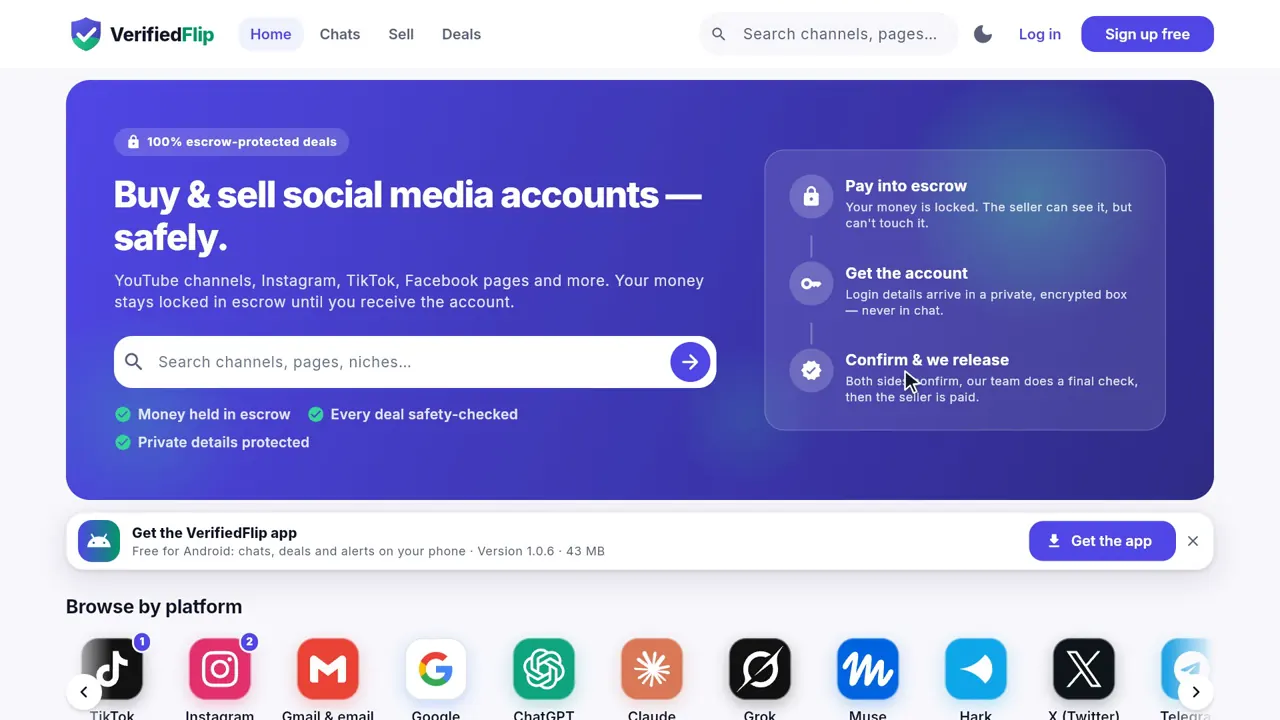
When you buy a YouTube channel, an Instagram page or a TikTok account from a stranger, the biggest risk is simple: you pay, and the other person disappears. Or you hand over your account and never get paid.
VerifiedFlip is a marketplace for social media accounts where every deal is protected by escrow. The buyer's money is locked with us. The seller can see it but cannot touch it. Only when the buyer confirms they have the account is the seller paid.
- The buyer pays into escrow.
- The seller hands over the account.
- The buyer confirms — then the seller is paid.
Create your free account
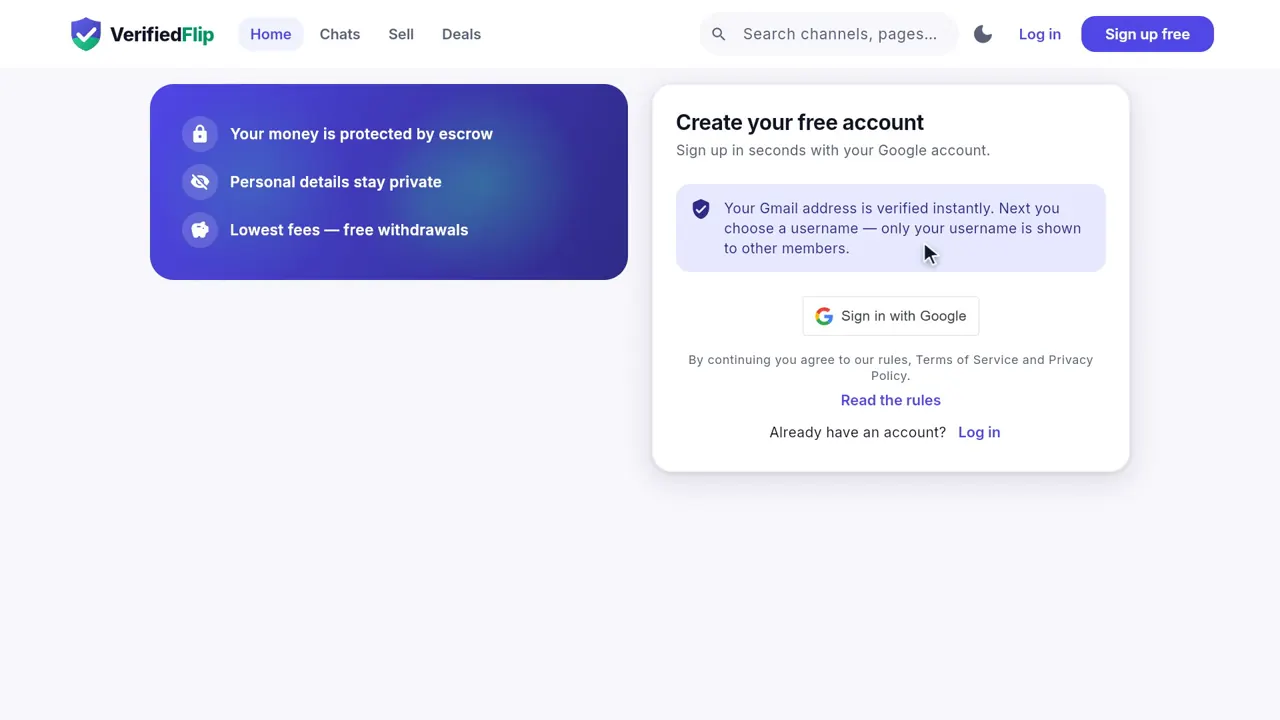
Press Sign up, continue with your Google account and choose a username. It is free and takes a few seconds — no password to remember.
Get verified
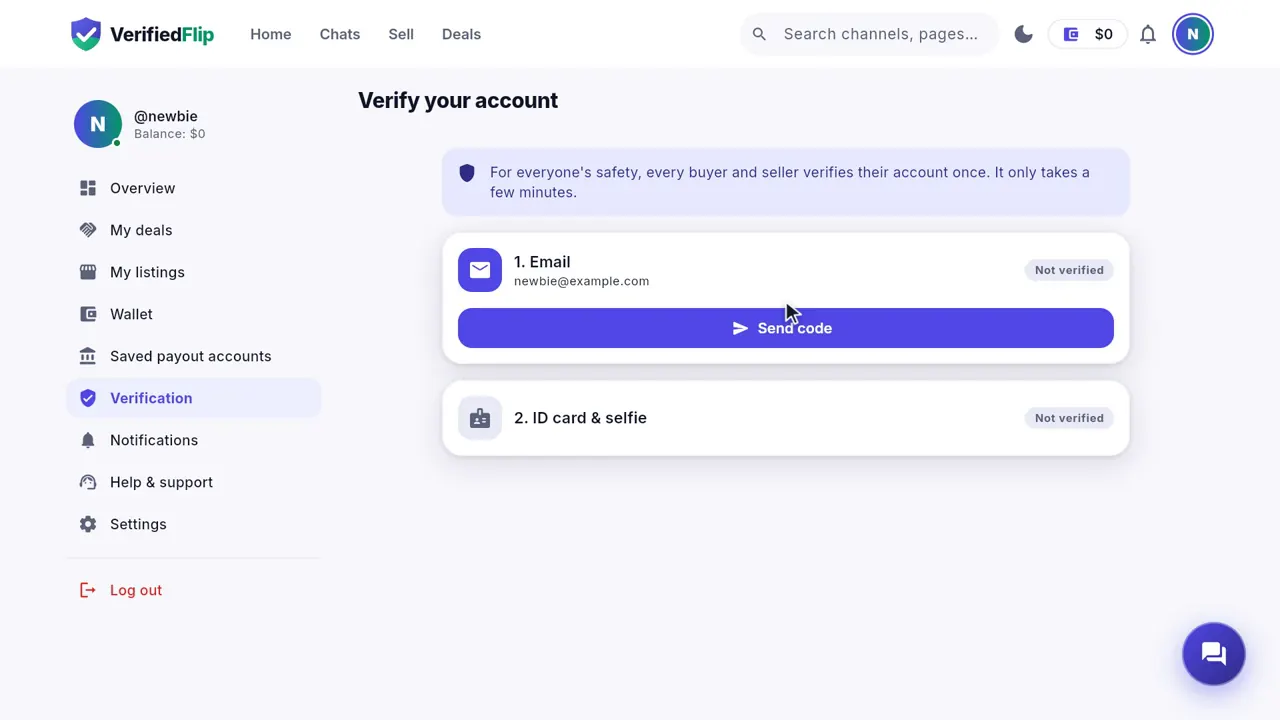
Open Account → Verify your account and send a photo of your ID card and a selfie. Our team checks it and you get a notification when it is done.
A verified badge tells buyers and sellers that you are a real person. Verified sellers pay a lower fee, and their listings go live without waiting for our review.
Find an account
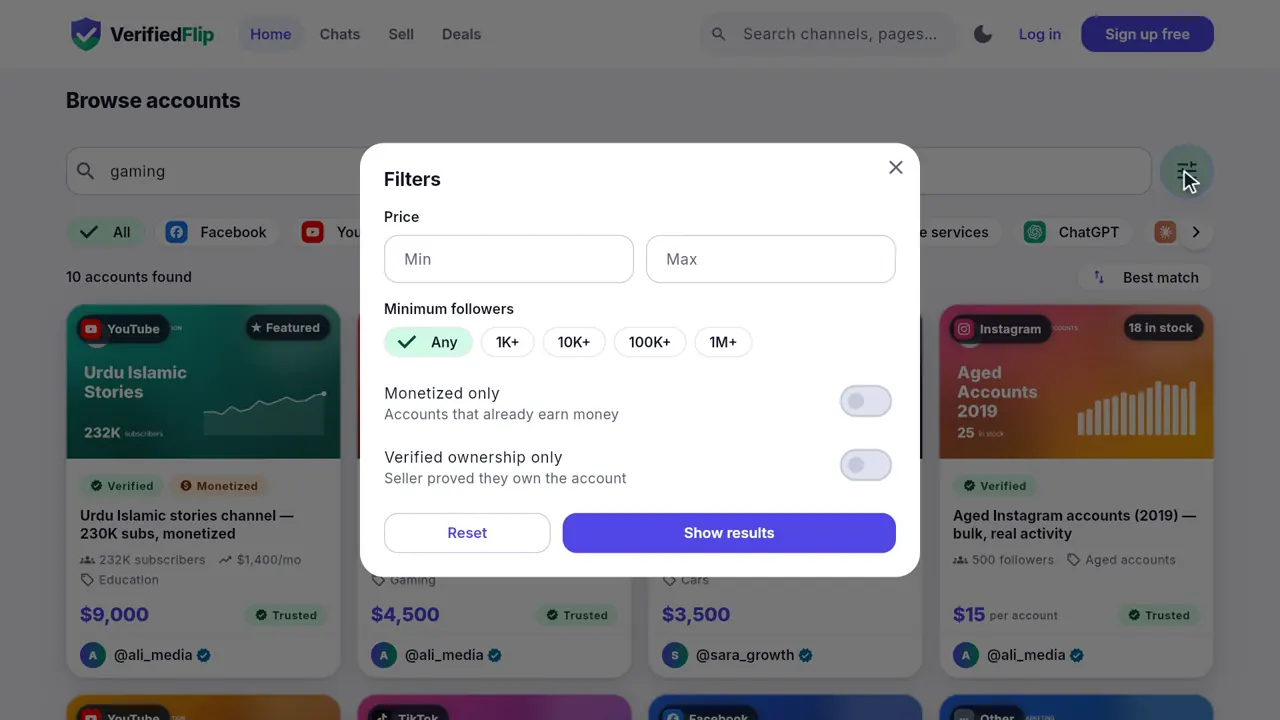
Browse by platform from the home page — YouTube, Instagram, TikTok, Facebook, Telegram, Gmail accounts, AI tool subscriptions and more.
Use the search box and Filters to narrow it down: price, followers, monetized only, ownership verified only.
Check the listing
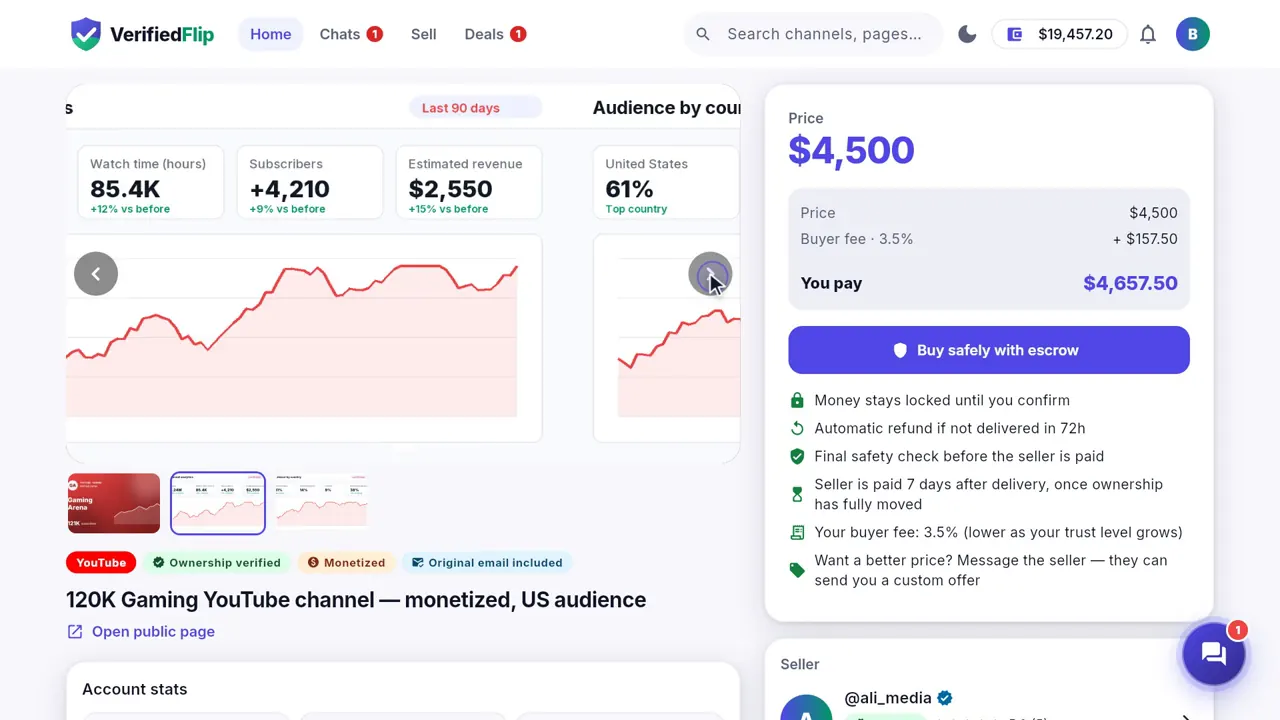
Every listing shows the real numbers: subscribers or followers, monthly income, the audience's countries, and screenshots from the platform's own analytics.
- Look for the "Ownership verified" badge: the seller proved the account is theirs.
- Open the screenshots — they come from the account's own analytics.
- Read what is included and how the account is handed over.
Check the seller
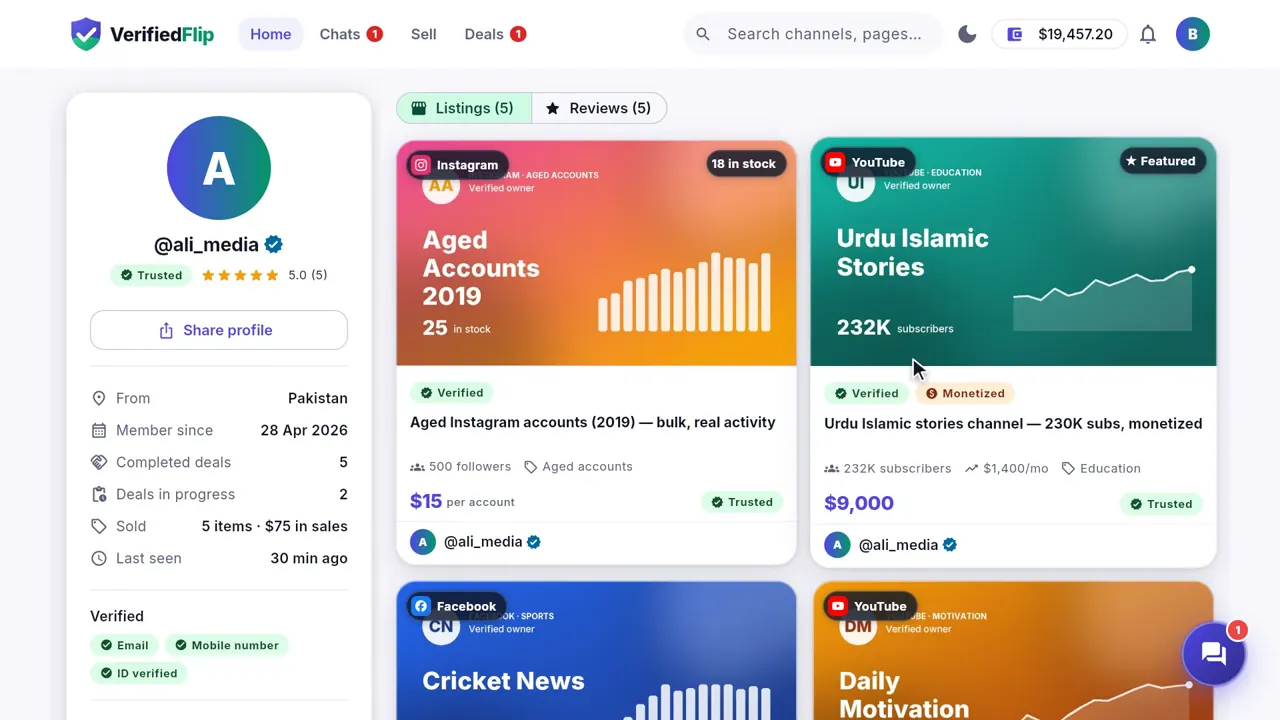
Tap the seller's name to see their trust level, how many deals they completed, when they were last online, and reviews from real buyers.
Chat with the seller
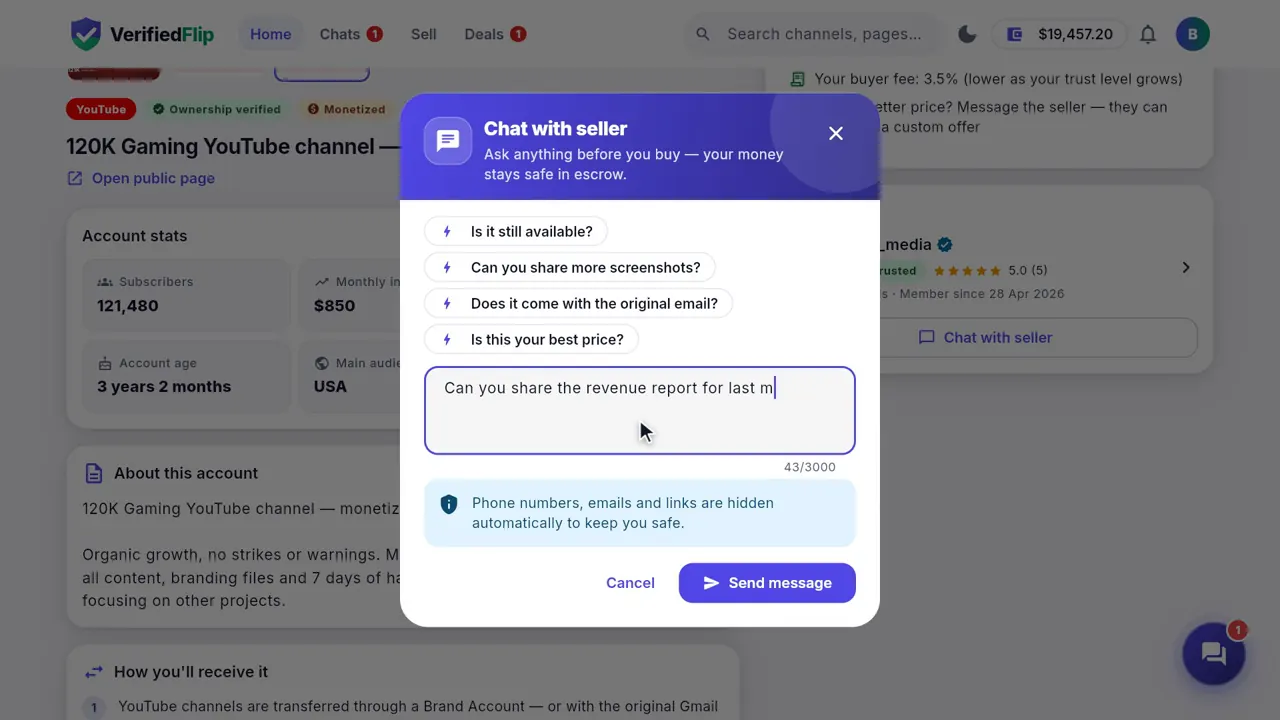
Have a question? Press Chat with seller. Ask for more proof, send screenshots, or agree on a price — the seller can send you a custom offer right in the chat.
Keep the deal on VerifiedFlip
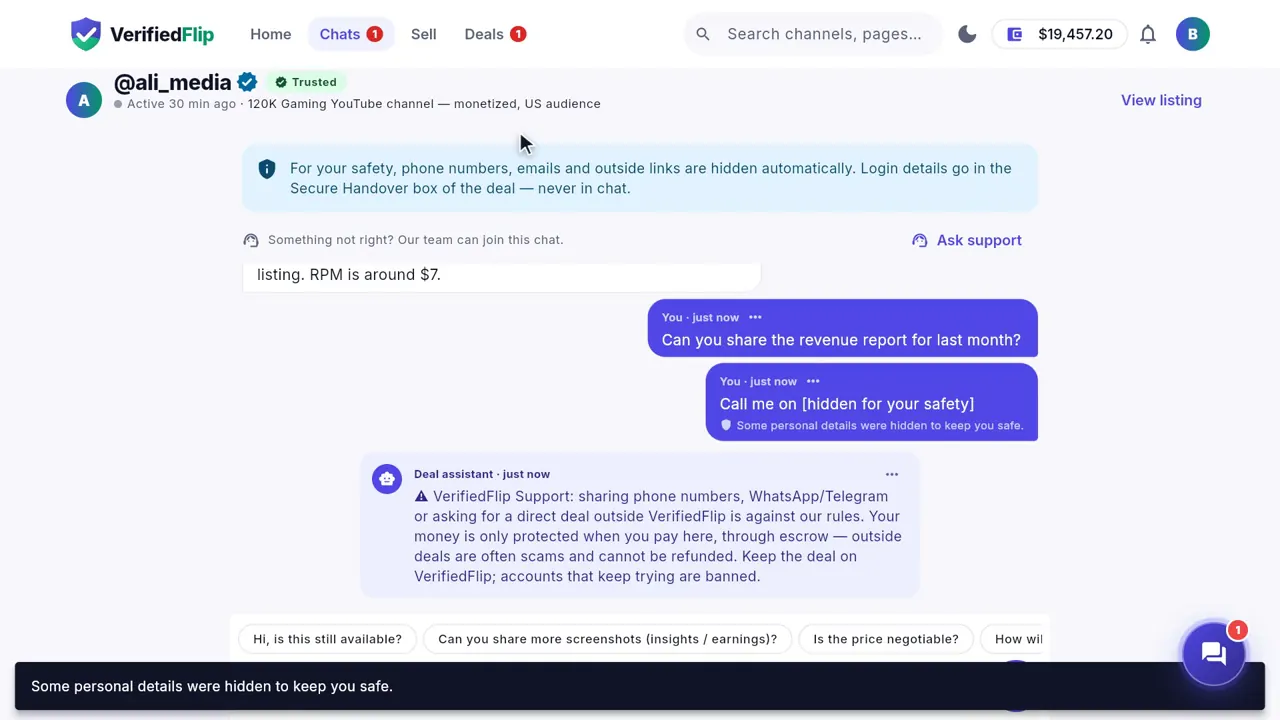
Phone numbers, messaging apps and outside payment details are hidden in chat automatically. That is on purpose: a deal paid outside VerifiedFlip has no escrow, and nobody can help you get your money back.
Tip: Never pay a seller directly. If someone asks you to, press Ask support in the chat and our team steps in.
Add funds with USDT
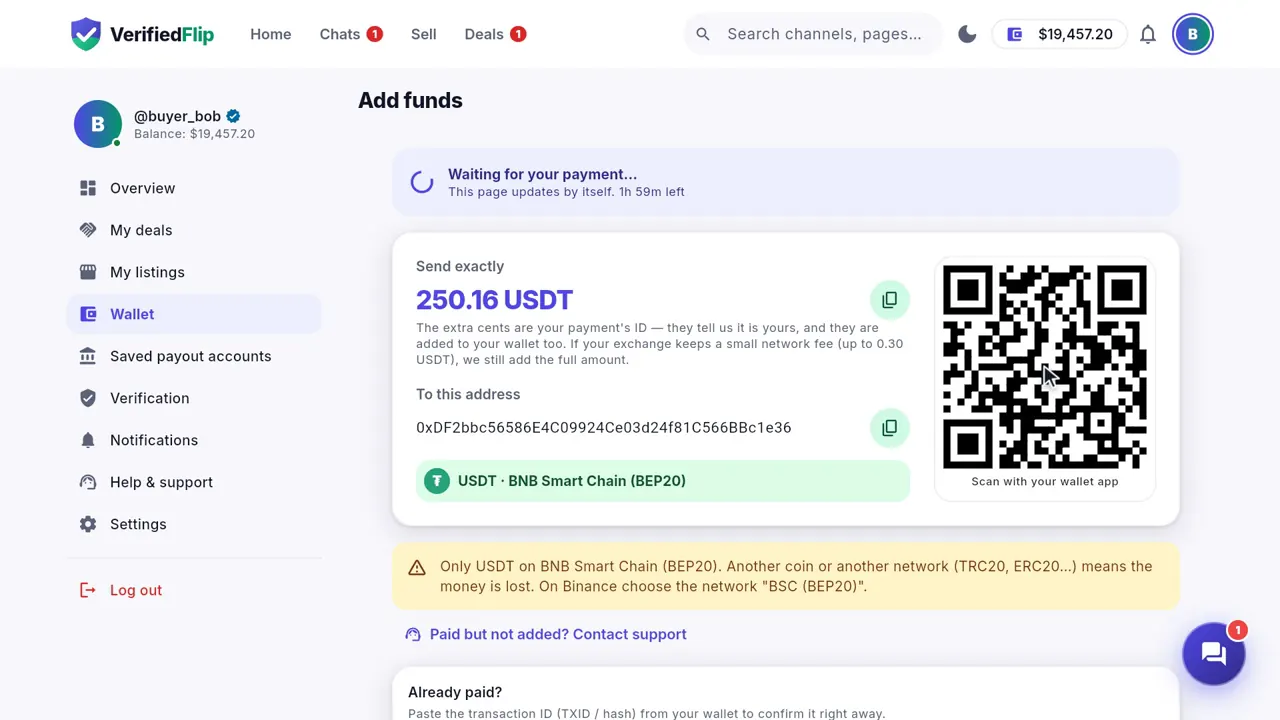
Go to Wallet → Add funds and type the amount. You pay in USDT on BNB Smart Chain (BEP20); 1 USDT is $1.
Send exactly the amount the page shows to the address on the page — the extra cents are your payment's ID. Your balance is added automatically, about a minute after you pay. We add exactly the amount that arrives — if your exchange takes its network fee from the amount you send, add the fee on top so the full amount reaches us.
- Choose the network "BNB Smart Chain (BEP20)" in your wallet or on Binance.
- Send only USDT. Another coin or another network (TRC20, ERC20…) cannot be recovered.
- Sent a different amount? Paste the transaction ID (TXID) on the payment page — what arrived is added after a short safety wait.
Tip: Cannot pay with crypto? Message our support team from the Add funds page: we help you pay with a local method.
Buy with escrow
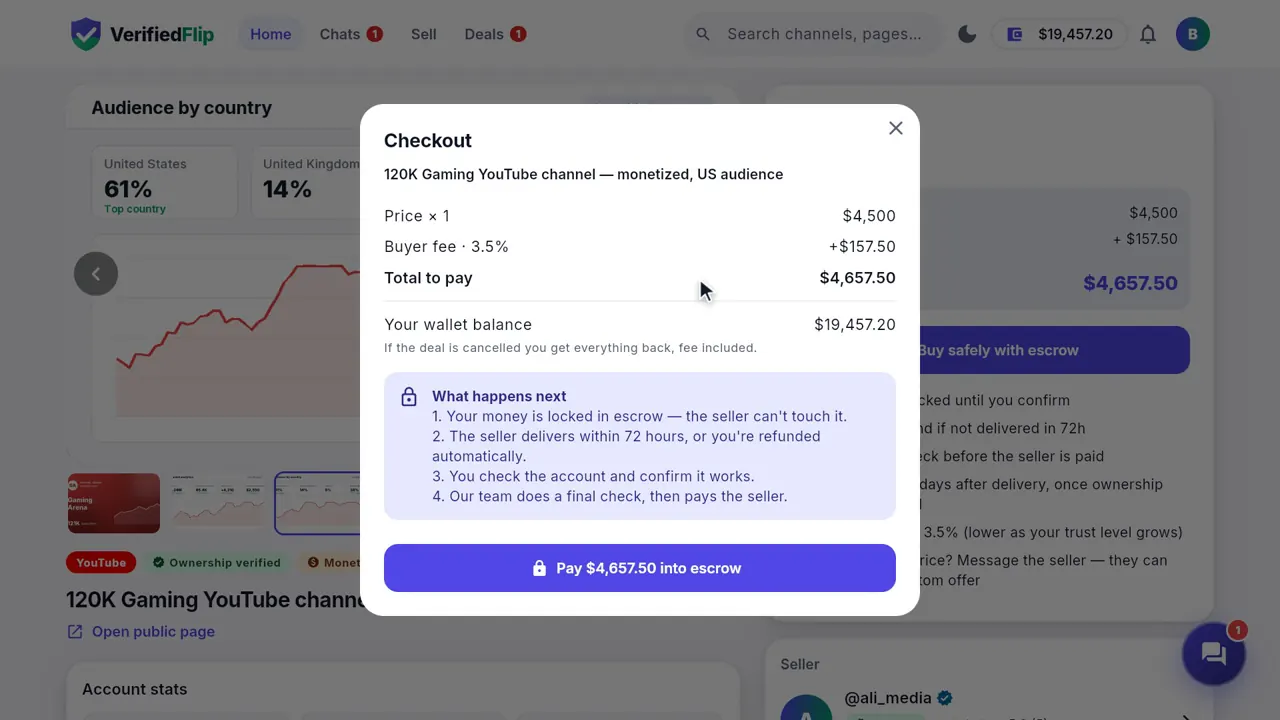
Found the one? Press Buy safely with escrow. Before you pay you see the price, the buyer fee and the total. When you pay, the money is locked in escrow: the seller sees it is there, but cannot touch it.
Your deal page
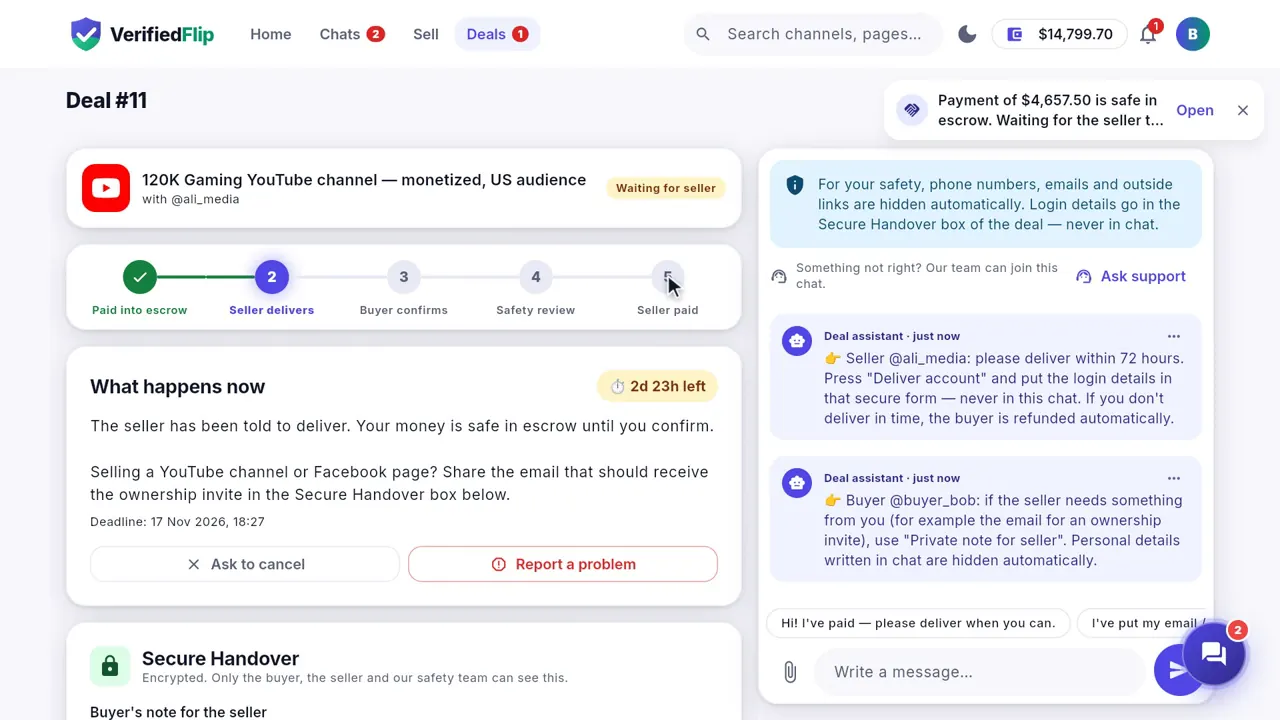
Every deal has its own page with five clear steps: Paid into escrow, Seller delivers, Buyer confirms, Safety review, Seller paid. The "What happens now" box always tells you what to do next and how much time is left.
The seller delivers
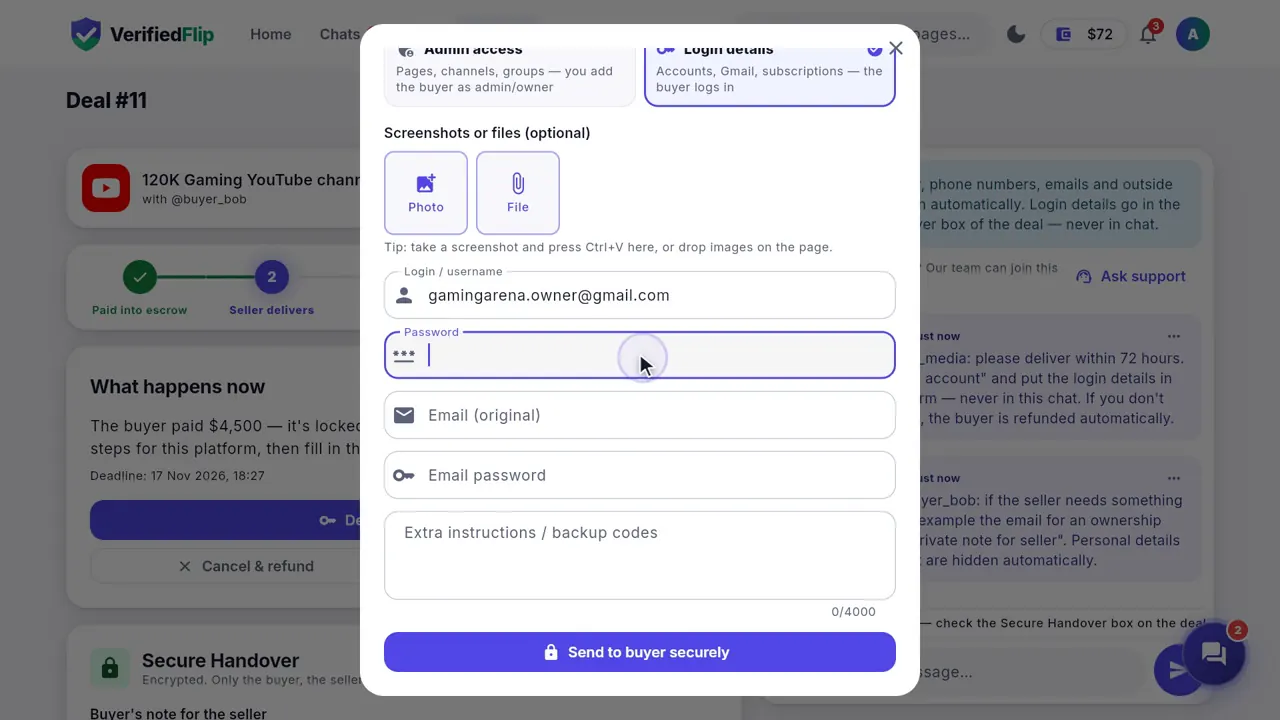
The seller has 3 days to deliver. Login details go into the Secure Handover box — encrypted, and never shared in chat. For pages and channels, the seller can also add the buyer as admin or owner and show it with screenshots.
If the seller never delivers, the buyer gets an automatic refund.
Check the account and confirm
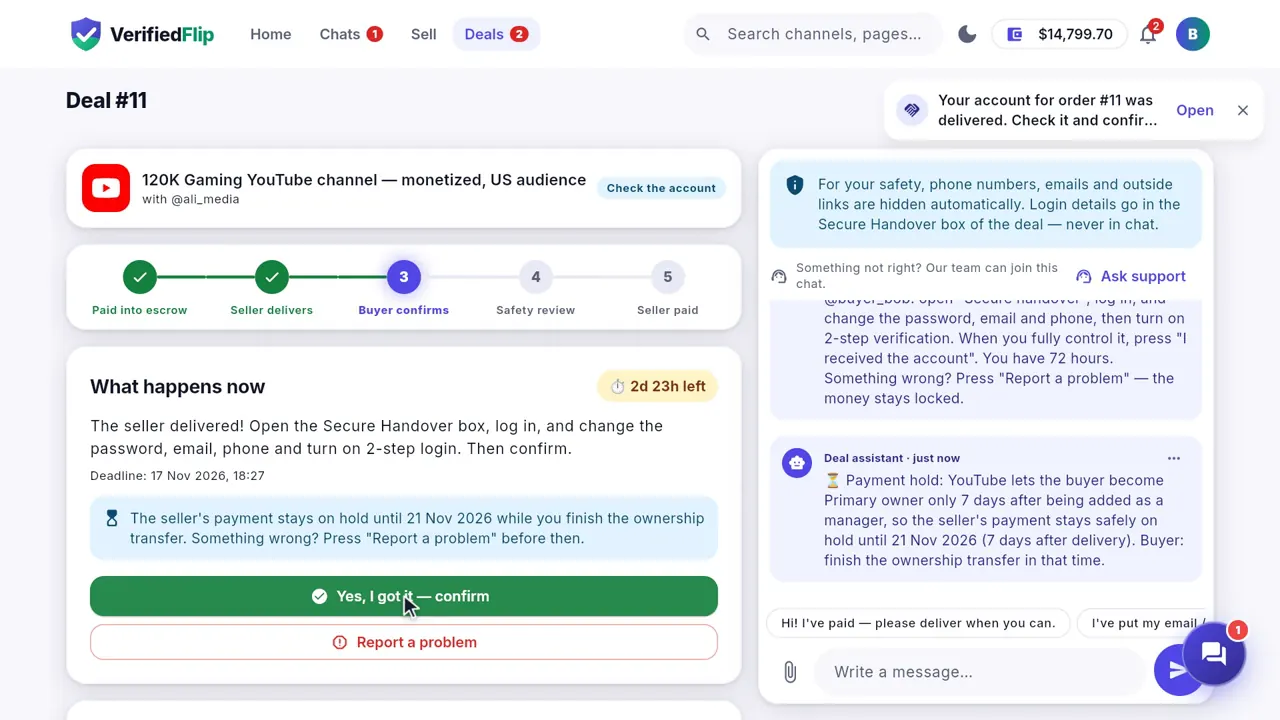
The buyer logs in, changes the password and the recovery email or phone, and checks everything is as promised. Then press "Yes, I got it — confirm". You have 3 days to check.
Something wrong? Press Report a problem. The money stays locked while our team looks at the deal with both sides.
- Change the password first.
- Change the recovery email and phone number.
- Check you have full control (owner or admin rights) before you confirm.
The seller is paid
After the buyer confirms, our team does a final safety check and the seller is paid into their VerifiedFlip wallet. For YouTube channels the payment is held for 7 days after delivery: YouTube only lets the new owner become primary owner after 7 days.
Leave a review
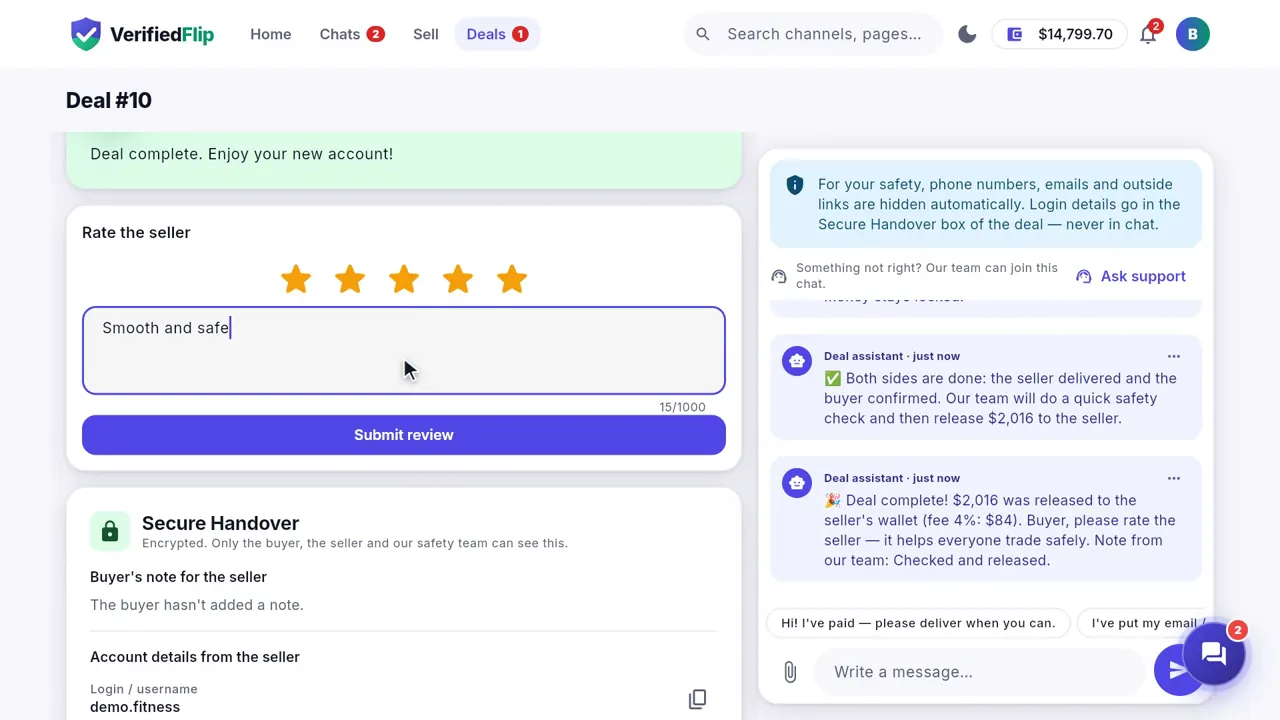
When the deal is complete, rate the seller with 1 to 5 stars so the next buyer knows who to trust. You can change your review later from the deal page. A seller may ask you once in a while to look at it again — it is always your decision.
Sell an account
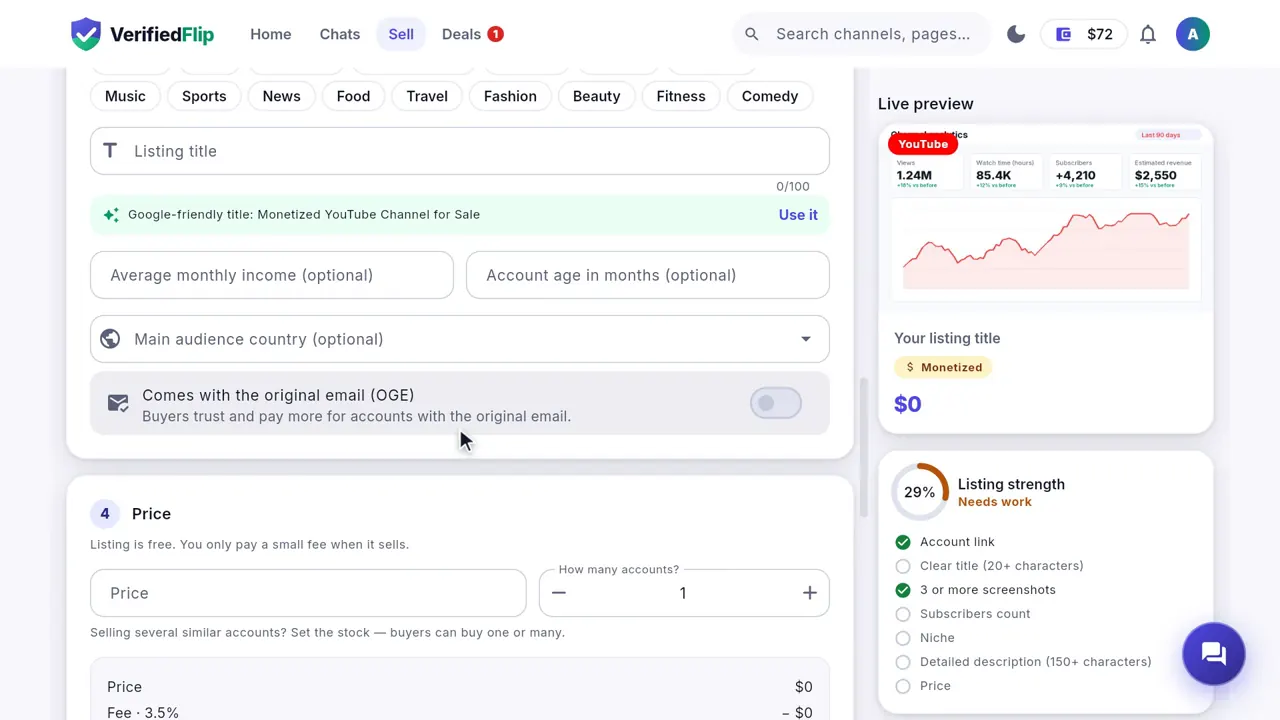
Open the Sell tab and press List an account. Listing is free and takes about two minutes.
- Choose the platform and paste the public link of the account.
- Add the numbers (followers, income) and screenshots from the platform's own analytics.
- Set your price. The listing strength meter shows how to make the listing better.
Prove you own the account
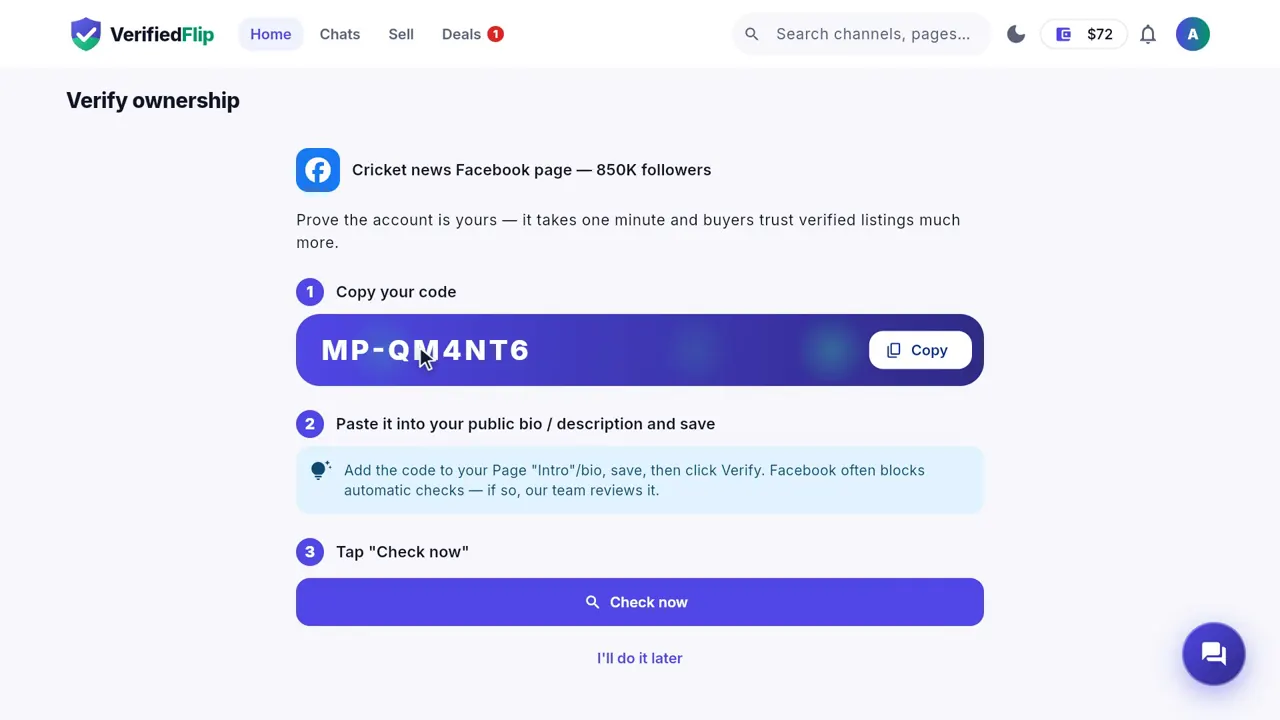
Copy the one-time code, paste it into the account's bio or description, and press Check now. Your listing gets the "Ownership verified" badge, and buyers trust it more.
Your shop insights
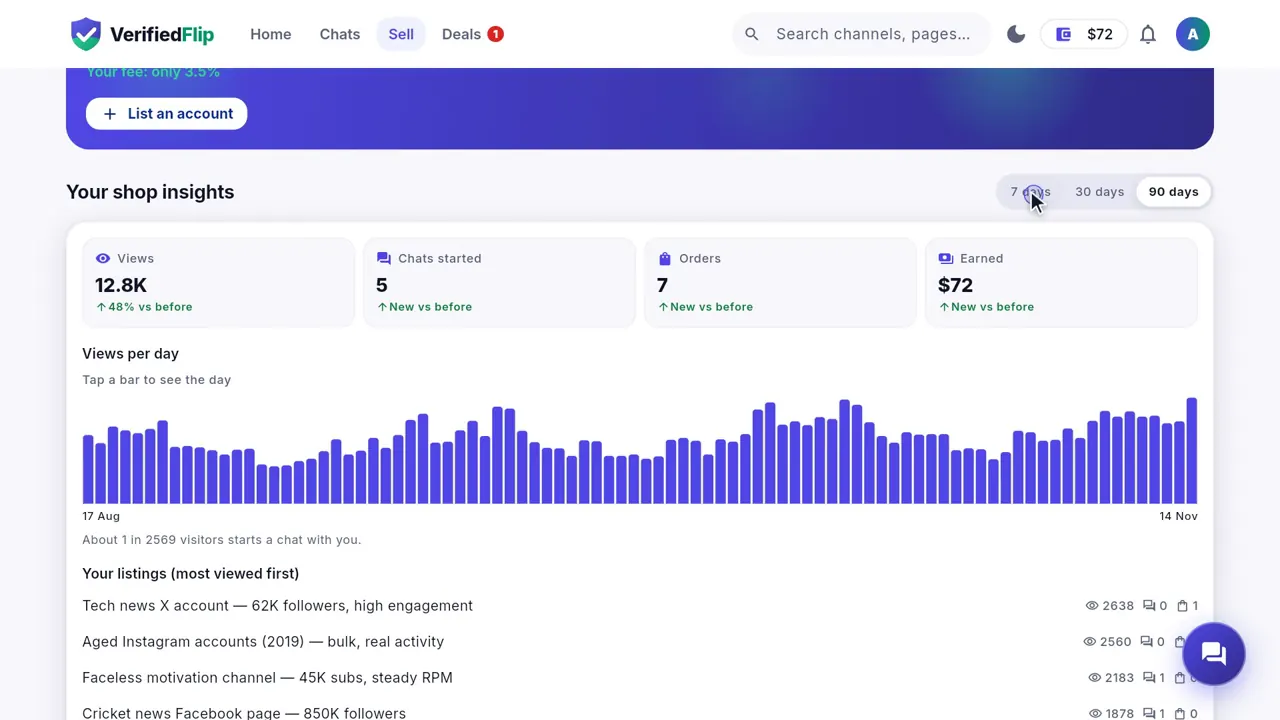
See your views, chats, orders and earnings day by day for the last 7, 30 or 90 days, and which listings work best.
Fees and trust levels
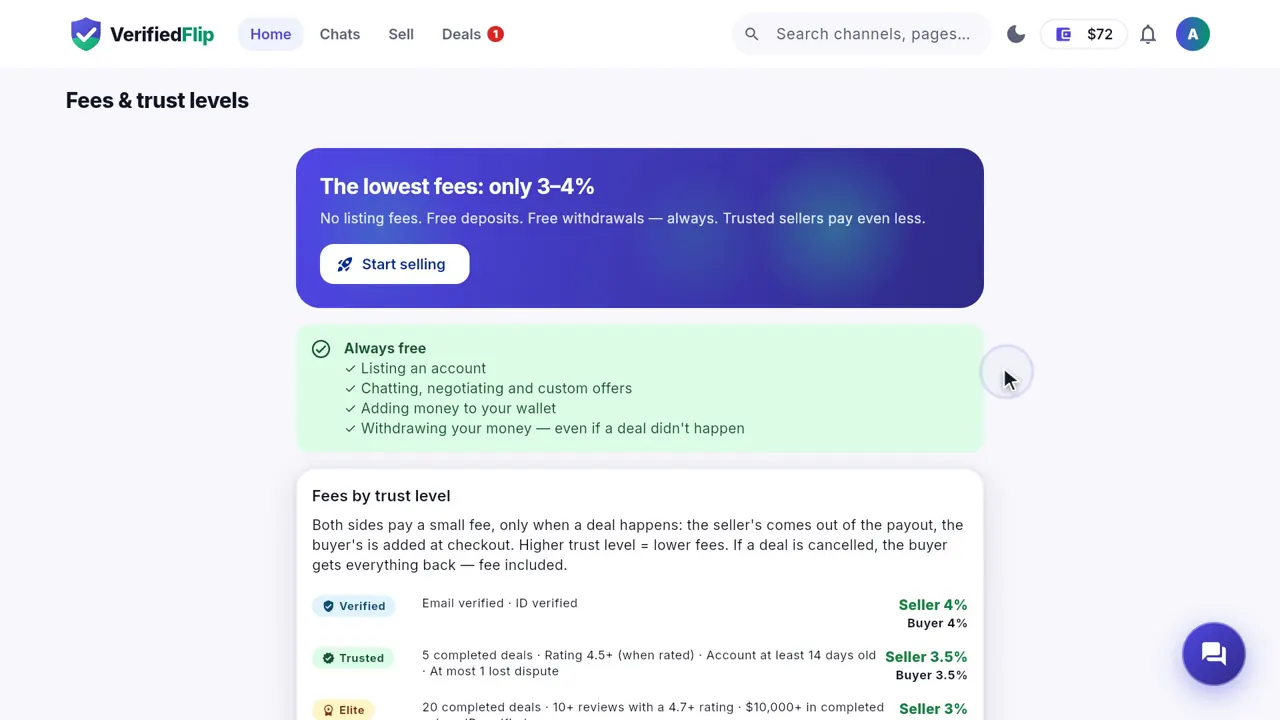
Listing is free. A small fee is taken only when a deal completes, and you always see it before you pay. The more good deals you complete, the higher your trust level — and the lower your fee.
| Trust level | Seller fee | Buyer fee | How to get there |
|---|---|---|---|
| New | 5% | 4% | Everyone starts here (no ID check yet). |
| Verified | 4% | 4% | Email and ID checked. |
| Trusted | 3.5% | 3.5% | 5 completed deals, good reviews, account at least 14 days old. |
| Elite | 3% | 3% | 20 completed deals, 10+ reviews with a 4.7+ rating, $10,000+ in sales. |
Tip: Adding funds and withdrawing are free.
Withdraw your money
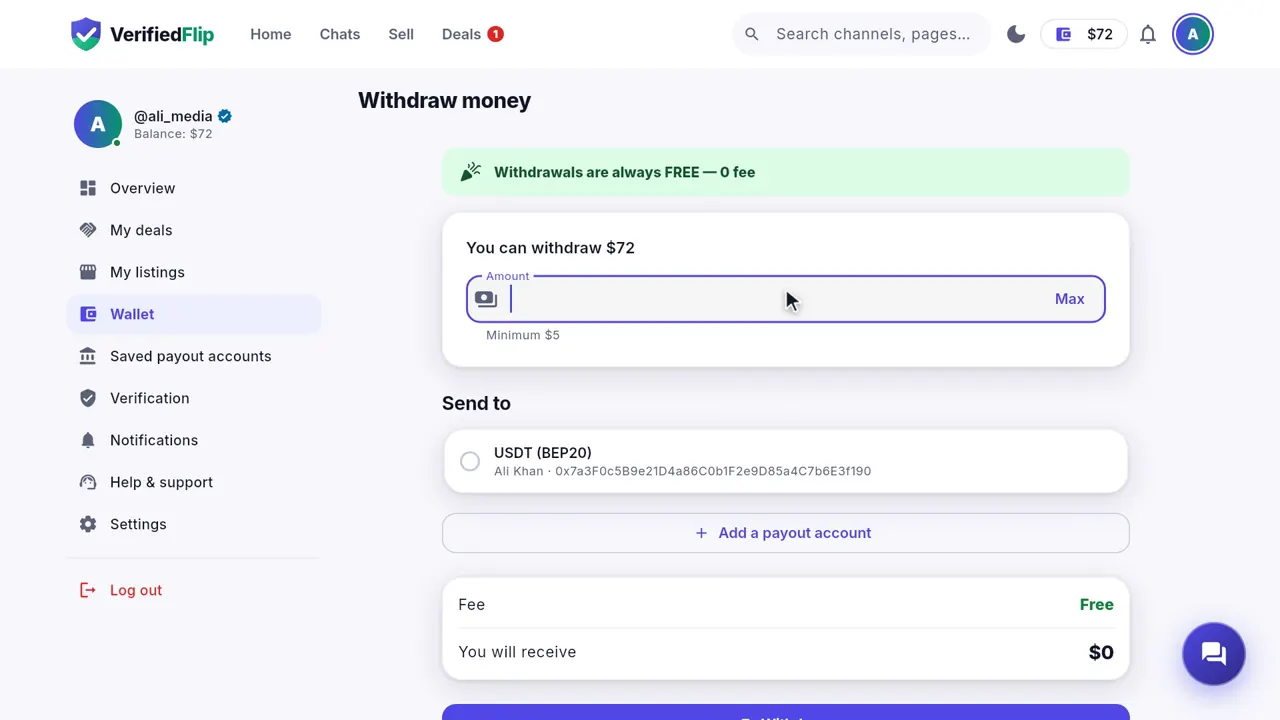
Go to Wallet → Withdraw, enter the amount and your own USDT (BEP20) wallet address. Withdrawals are free. Our team sends the money to your wallet, and you get a notification when it is paid.
Notifications
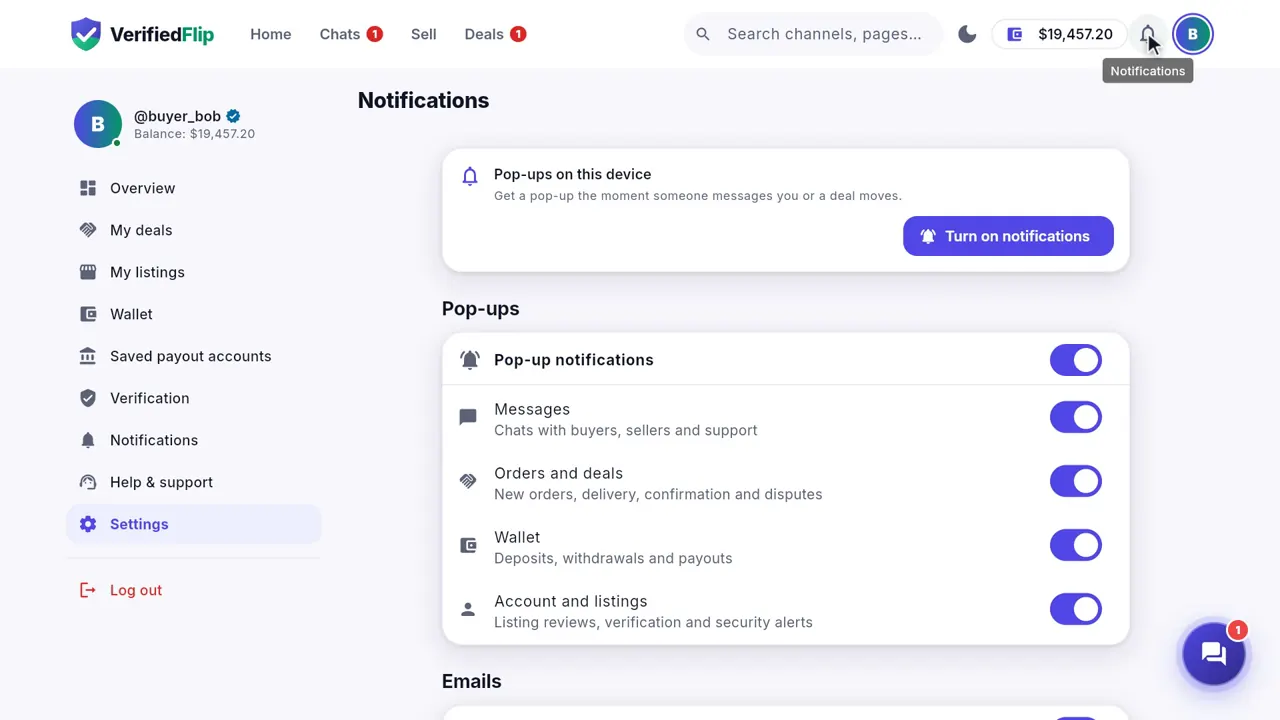
You get a notification for every message, order and payment — in the app and as a pop-up on your phone or browser. Choose which ones you want in Settings → Notifications.
Help and support
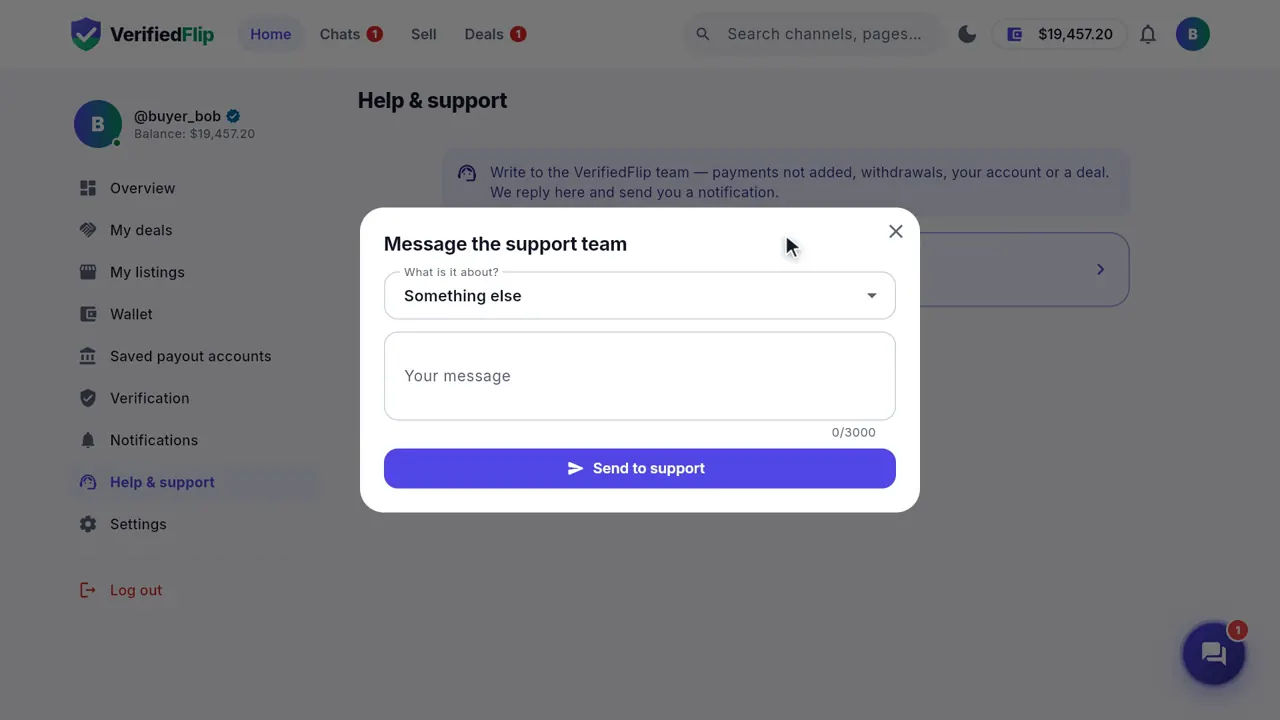
Need help? Press Ask support in any chat and our team joins it, or open Help & support and send us a message — screenshots welcome.
Get the Android app
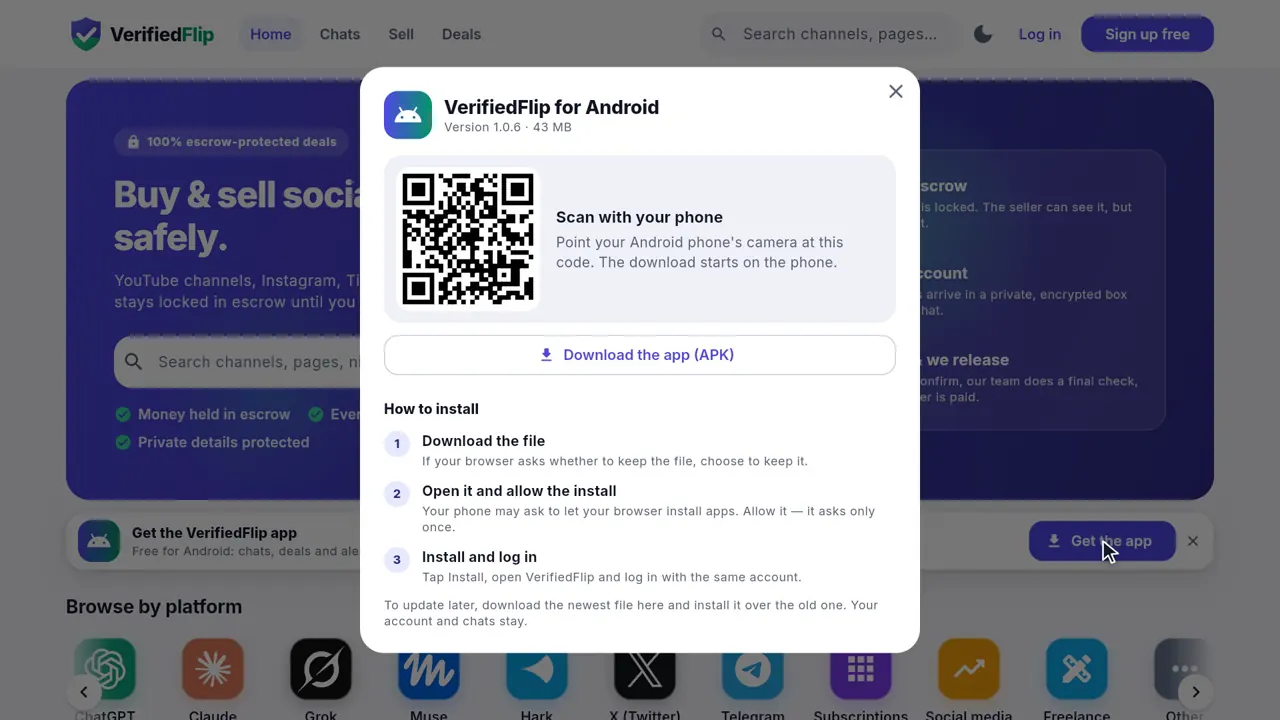
Prefer your phone? Press Get the app on the home page and scan the code, or download it on your phone. Chats, deals and notifications come with you.
Questions
- Is it safe to buy an account on VerifiedFlip?
- Yes. Your money is held in escrow and the seller is paid only after you confirm you control the account. If the seller does not deliver, you get your money back automatically.
- How do I pay?
- Add funds with USDT on BNB Smart Chain (BEP20). The balance is added automatically, then you buy with one click. Our support team can help with a local payment method.
- What if the account is not as described?
- Press Report a problem on the deal page before you confirm. The money stays locked while our team checks the deal with both sides.
- How do I sell my page or channel?
- Create a free listing, prove you own the account with a one-time code, and it goes live. You are paid when the buyer confirms.
- How much does it cost?
- Listing, adding funds and withdrawing are free. A small fee is taken when a deal completes: 3–5% for sellers and 3–4% for buyers, lower as your trust level grows.